Live updates
Pages in the control panel keep themselves current. When something changes — someone in your organization adds an application, a build finishes, a top-up clears — the page you already have open updates itself. You never have to reload to find out whether anything happened.
This is not polling: nothing is re-requested on a timer. The platform pushes the change to the browsers that are entitled to see it, and only those.
What updates itself
| Page | What moves |
|---|---|
| Applications | rows appear, and the Current deployment column follows the live revision |
| An application | the deployment history — a revision going pending → building → built or failed |
| Organizations | the application count per organization |
| An organization | its members and applications |
| Dashboard | each organization's credit balance, when a top-up clears |
| Platform status (admin) | in-flight and recent builds |
Seeing it
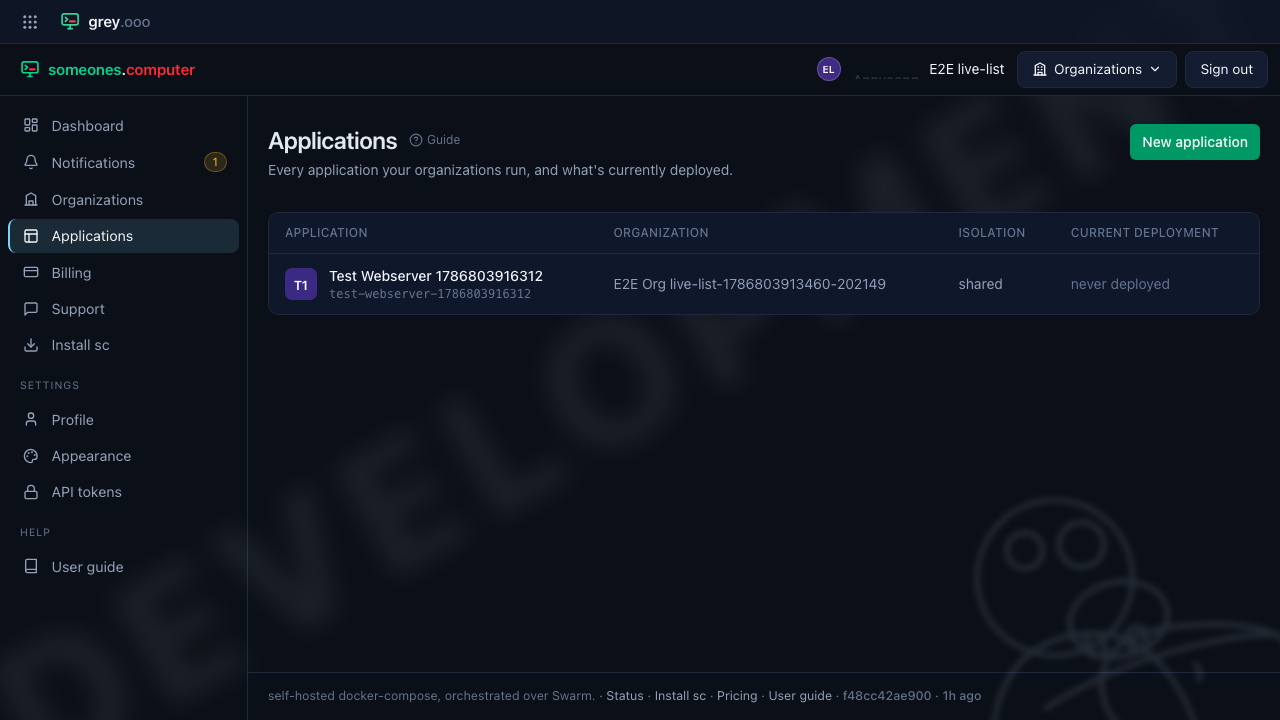
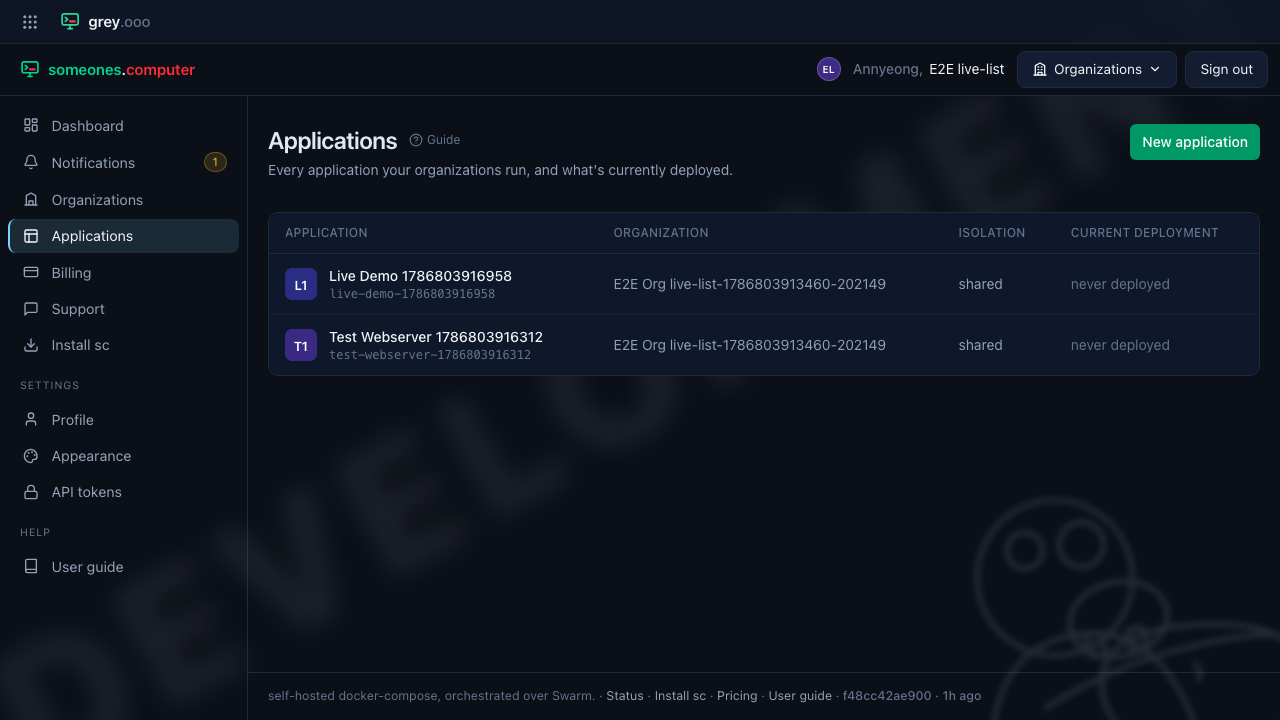
Two browser tabs, both signed in. The left-hand one is sitting on Applications and is not touched at any point.
Before — one application:
Someone creates Live Demo in the other tab. The watching tab gains the row on its own, with no reload and no click:
Confirmations
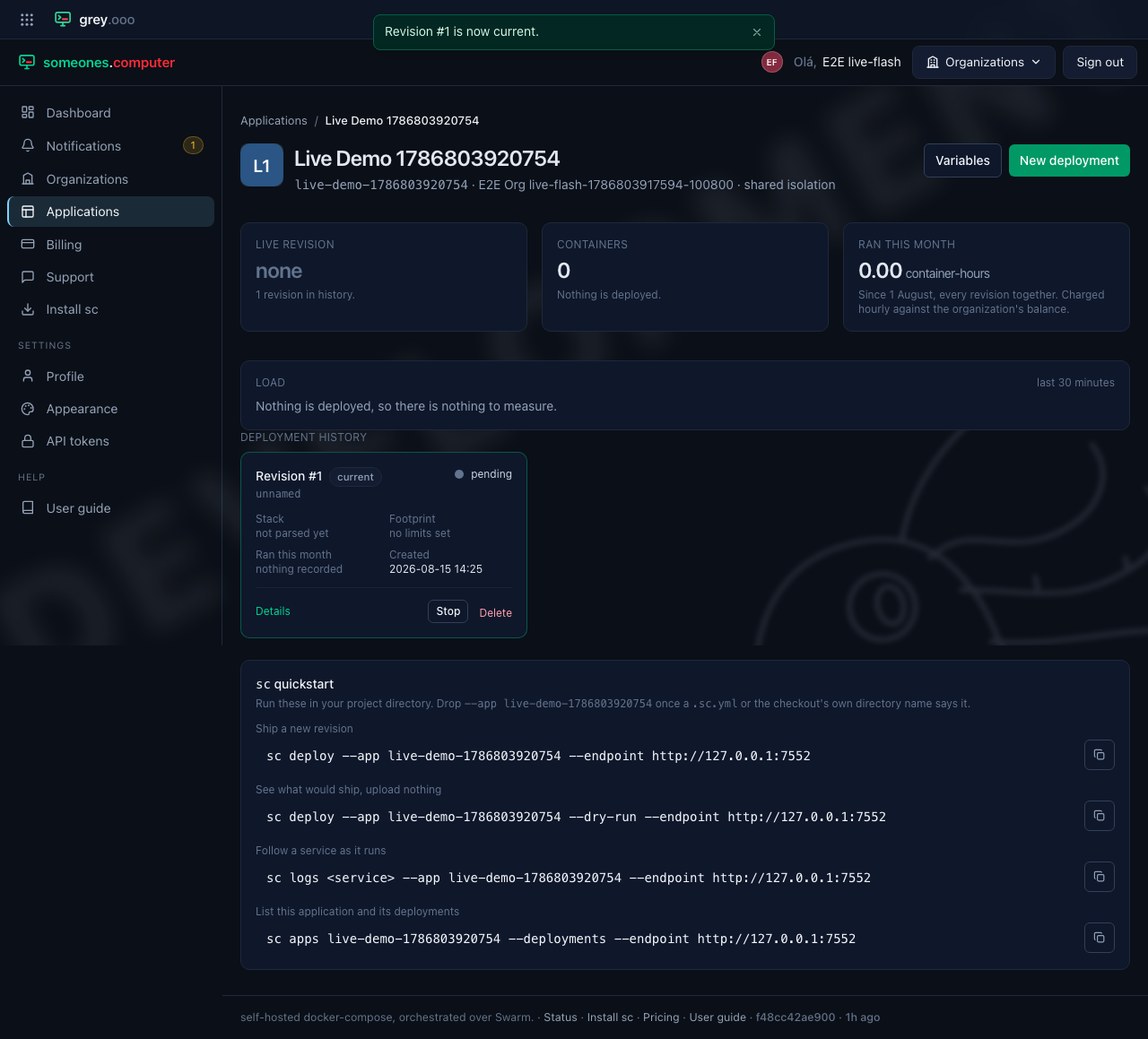
Actions that change something confirm it with a short message at the top of the screen, which fades on its own after a few seconds. Hovering keeps it up; the × dismisses it early.
Actions on a revision — activate, stop, delete — update the table in place rather than reloading the page, so a long deployment history keeps its scroll position:
If updates stop arriving
Nothing breaks. The live connection is an extra, not a dependency — if it drops (a flaky network, a proxy that closes idle connections), the page carries on working exactly as before and a reload shows you the current state. Nothing is lost, only its freshness.
Platform operators: the hub's own health is on the status page, and the technical detail lives there too.